Produce an accessible report (PDF/UA)
This recipe turns a plain Markdown report into a tagged, accessible PDF that conforms to PDF/UA. The remarkable part is how little there is to do: one frontmatter line switches it on, and the Markdown structure maps directly to the PDF structure tree.
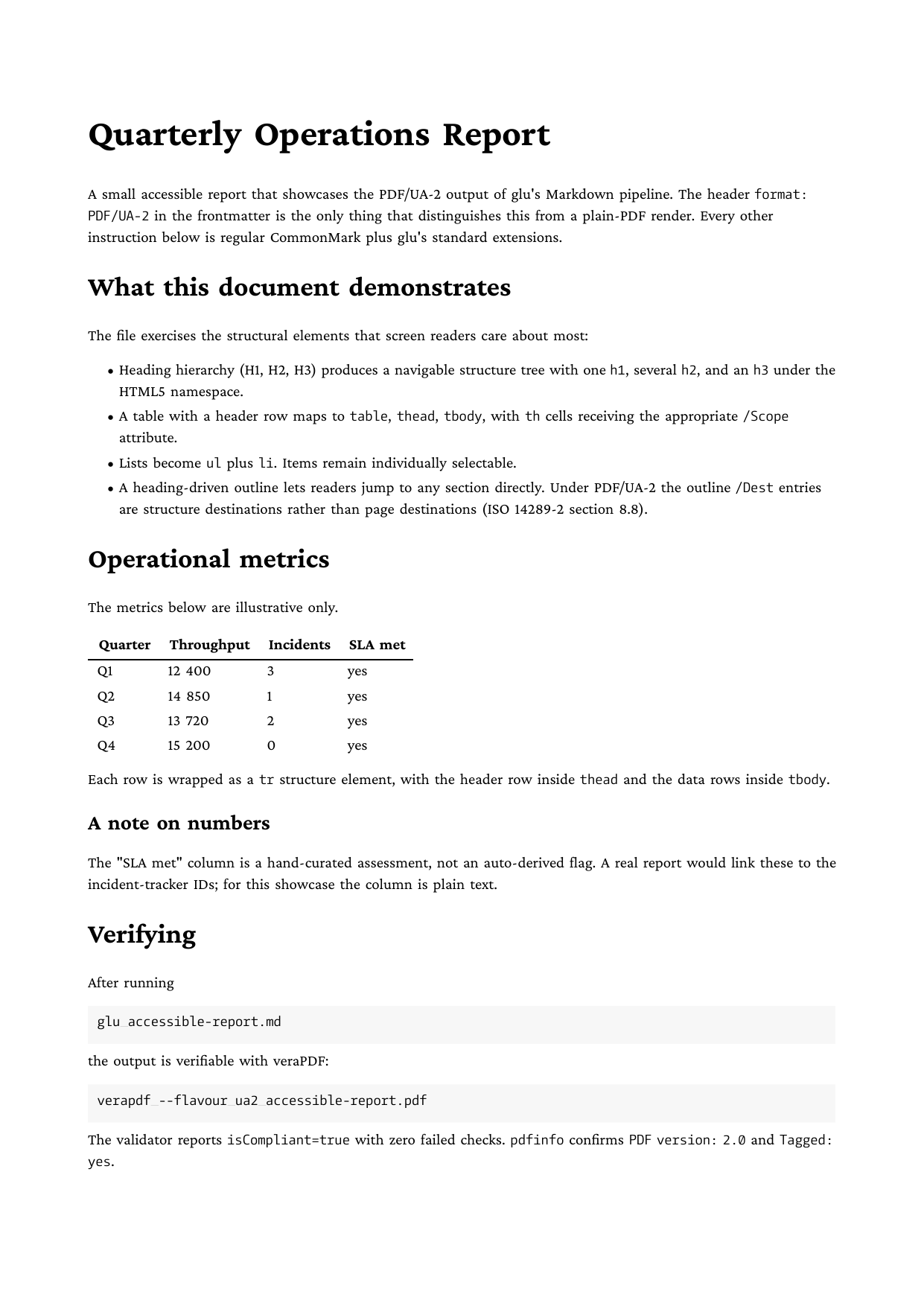
Full example: glu/markdown/accessible-report
Step 1: set the format
---
title: Accessible Quarterly Report
author: Communications Team
format: PDF/UA-2
lang: en
---

# Quarterly Operations Report

## Operational metrics

| Quarter | Throughput | Incidents | SLA met |
| ------- | ---------- | --------- | ------- |
| Q1      | 12 400     | 3         | yes     |
| Q2      | 14 850     | 1         | yes     |
format: PDF/UA (or PDF/UA-1) produces ISO 14289-1 output on PDF 1.7; format: PDF/UA-2 targets the newer ISO 14289-2 on PDF 2.0. The lang field is required for conformance and tells screen readers which pronunciation to use.
Step 2: write ordinary Markdown
There is no step 2. Everything below the frontmatter is regular CommonMark, and glu derives the tagging from it automatically:
- The heading hierarchy becomes a navigable structure tree (
h1,h2,h3, …). - Tables map to
table/thead/tbody, with header cells taggedthand given the appropriate scope attribute. - Lists become
ulpluslielements. - Page headers and footers are marked as pagination artifacts, so screen readers skip them.
- PDF bookmarks are generated from the headings; under PDF/UA-2 they point to structure destinations rather than page positions, and internal links carry a structure destination next to their named one.
The one thing the author must supply is structure worth tagging: use real headings instead of bold text, and real Markdown tables instead of ASCII art. Semantic source in, semantic PDF out.
Step 3: run and verify
glu accessible-report.mdveraPDF is the canonical conformance checker:
verapdf --flavour ua2 accessible-report.pdf   # for PDF/UA-2
verapdf --flavour ua1 report.pdf              # for PDF/UA / PDF/UA-1
Going further
- Images need a text alternative:
<img src="chart.pdf" alt="Sales rose 12% in Q4">(raw HTML inside Markdown). - TeX formulas ride along automatically; see Typeset TeX math.
- For archival formats with embedded data (PDF/A-3b), see the ZUGFeRD invoice recipe.
Related
- Tagged PDF (PDF/UA) in the Markdown mode reference
- Conformance level and document metadata for the HTML route