Put a letterhead behind every page
This recipe paints a stationery PDF behind the flowing body text, with a different letterhead on page 1 than on the following pages: the first page carries the full corporate header, every later page a slim continuation header. Both come from one two-page letterhead PDF, selected purely from CSS. No Lua and no callbacks are involved, so the same setup works for HTML and Markdown input alike.
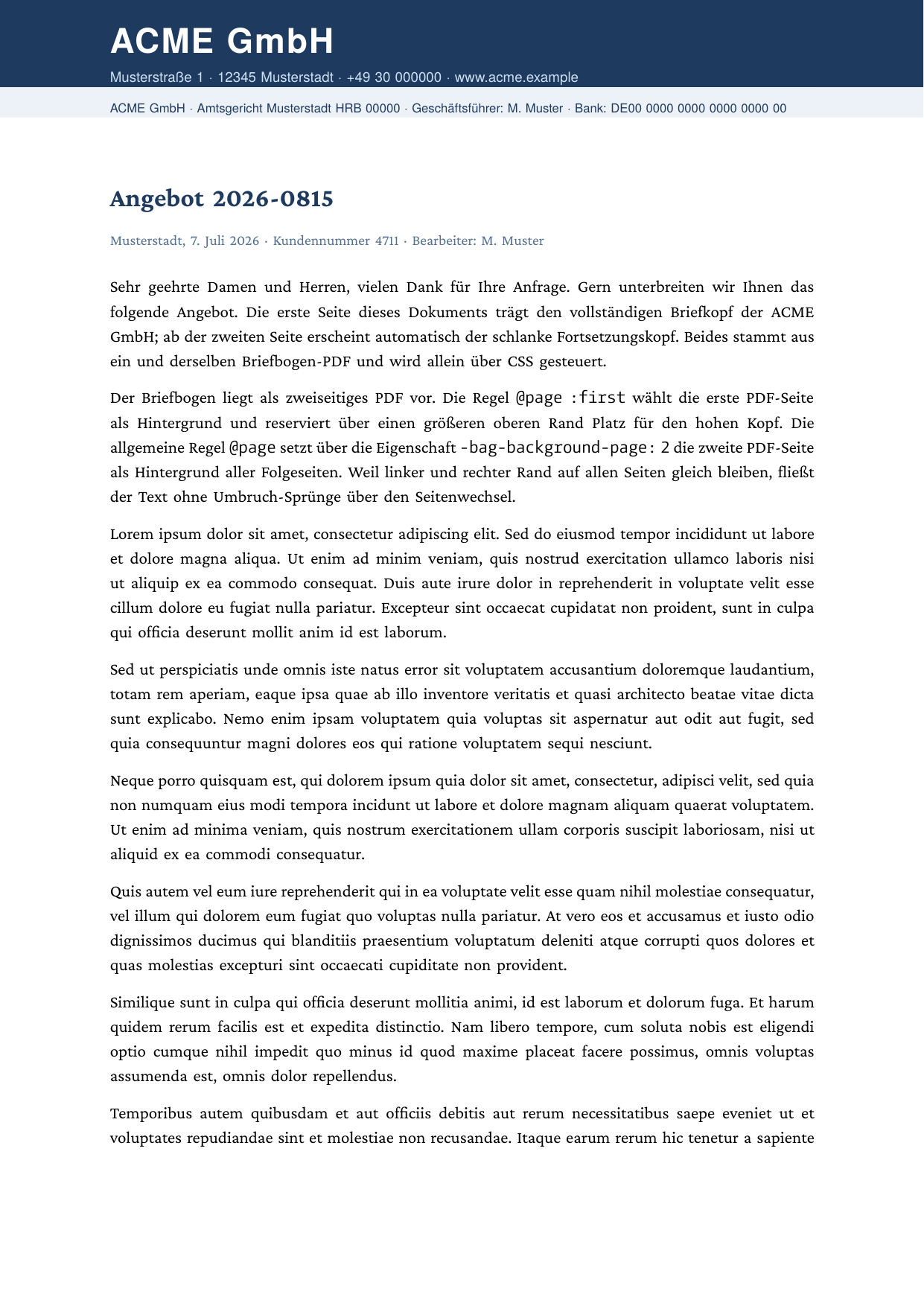

Full example: glu/html/page-background-letterhead
Step 1: prepare the stationery
The letterhead is an ordinary two-page PDF: page 1 holds the tall corporate header, page 2 the slim continuation header. Any design tool can produce it; the example even generates its own with glu (letterhead-source.html is shipped for reference). A raster image (PNG, JPEG) works as well, then each @page rule points at its own file instead of a source page number.
Step 2: assign backgrounds per page type
Two @page rules do all the work. The generic rule covers pages 2 and up, @page :first overrides page 1:
@page {
    size: A4;
    margin: 3cm 2.5cm 3cm 2.5cm;
    background-image: url(letterhead.pdf);
    -bag-background-page: 2;    /* pages 2+: slim continuation header */
}

@page :first {
    margin-top: 4.2cm;          /* clear the tall header on page 1 */
    background-image: url(letterhead.pdf);
    -bag-background-page: 1;    /* page 1: full header */
}
background-image on @page paints the image across the whole sheet, behind the content. The custom property -bag-background-page selects which page of a multi-page PDF is used (default 1).
The taller margin-top on :first reserves room so the body text starts below the header band. From page 2 on, the regular 3 cm margin applies and the text climbs up under the slim header.
Step 3: run it
For the HTML route:
glu page-background-letterhead.htmlFor a Markdown document, put the same rules into a stylesheet and wire it up via frontmatter:
---
title: Offer 2026-0815
css: letterhead.css
---
Gotcha: set -bag-background-page on every rule
@page :first cascades over the generic @page rule and inherits every property it does not redeclare, including -bag-background-page. If the generic rule sets 2 and :first stays silent, page 1 shows the wrong source page. Set the value explicitly on each rule, as above.
Notes and limits
background-imageaccepts raster images (PNG, JPEG) and PDF pages. SVG page backgrounds are not yet supported.- The image path resolves relative to the document, so a bare
url(letterhead.pdf)next to the source file works. - Keep the left and right margins identical on all pages: a later page with a different content width does not reflow the running text. Different vertical geometry (
margin-top,margin-bottom) reflows cleanly, which is exactly what the taller first-page margin uses.
Related
- Add page headers and footers for content in the margin bands instead of behind the page
- HTML mode for the supported CSS features