Generate a table of contents
This recipe builds a table of contents whose page numbers and dot leaders are generated entirely by CSS. The TOC in the Markdown source contains nothing but links; the numbers come from target-counter(), the dots from leader(), and glu’s multi-pass loop fills in the values automatically.
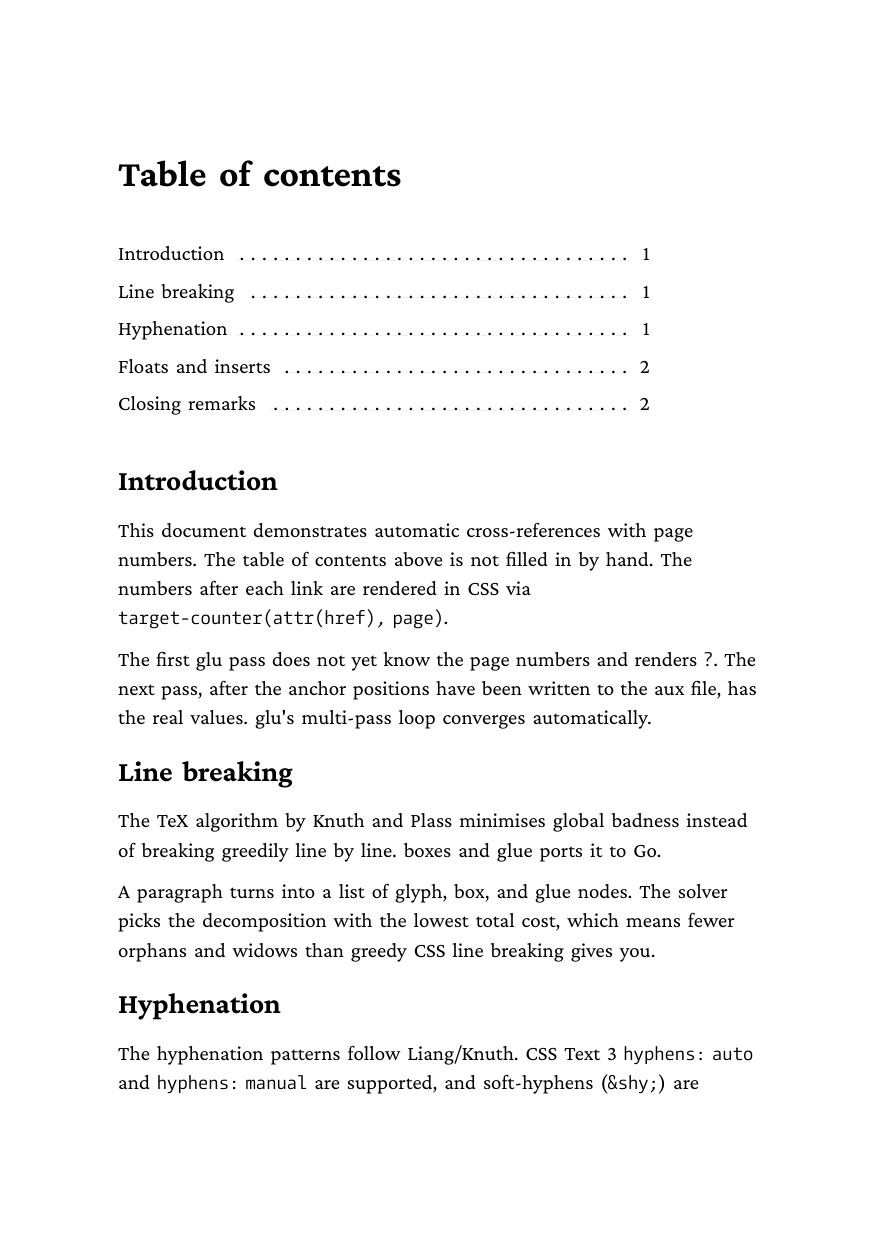
Full example: glu/markdown/toc-target-counter
Step 1: a TOC that is only links
The table of contents is a plain Markdown link list inside a <div class="toc">. Each heading carries an explicit id so the links have stable targets:
# Table of contents

<div class="toc">

- [Introduction](#introduction)
- [Line breaking](#linebreaking)
- [Hyphenation](#hyphenation)

</div>

## Introduction {#introduction}

This document demonstrates automatic cross-references with page numbers.

## Line breaking {#linebreaking}

The TeX algorithm by Knuth and Plass minimizes global badness instead of
breaking greedily line by line.
No page numbers appear anywhere in the source.
Step 2: page numbers and leaders in CSS
An ::after rule on the links appends the dot leader and the page number of the link target. target-counter(attr(href), page) reads the href, resolves the anchor, and returns the page it landed on. leader(" . ") becomes an infinitely stretchable glue that repeats its pattern across the free space, a TeX \dotfill in CSS clothing:
.toc li {
    padding: 0.1em 0;
    width: 9cm;
}

.toc a {
    text-decoration: none;
    color: black;
}

.toc a::after {
    content: " " leader(" . ") " " target-counter(attr(href), page);
}
The fixed width on the li matters: it gives the leader a definite stretch target, so the title sits flush left and the page number flush right.
Step 3: let glu run its passes
Page numbers are unknown while the document is first laid out, so glu renders the document more than once:
- Pass 1: every
target-counter()renders?. The anchor positions are collected and written to the aux file next to the PDF. - Pass 2: the aux file is read back and the real page numbers appear. If the new numbers shift the layout, another pass runs.
- The loop stops when the anchors that
target-counter()looked up are unchanged from the previous pass (bounded by--max-passes, default 3).
Nothing needs to be configured, the loop is automatic:
glu toc.mdAdd or remove a section and rerun: all following page numbers update on the next pass.
Gotchas
- Keep the
<a>inline and leave the block boundary on the<li>. Settingdisplay: blockon the link itself breaks the leader, because the::afterrenderer lives in the inline path. - Only block-level ids are tracked as anchor targets (headings with
{#id},<div id="…">). For TOC entries that is fine, since the id sits on the heading.
Related
- Cross-references reference for
target-counter()andtarget-text() - Auxiliary file for the multi-pass mechanics
- The cross-reference-inline example for “see Chapter 3”-style references in running text