Prepare a PDF for the print shop
This recipe makes an A6 flyer ready for the press: PDF/X-4, 3mm bleed, crop marks, one spot color and black text that overprints the tint below it. It takes no Lua, the HTML file declares everything itself. The complete example is in the examples repository.
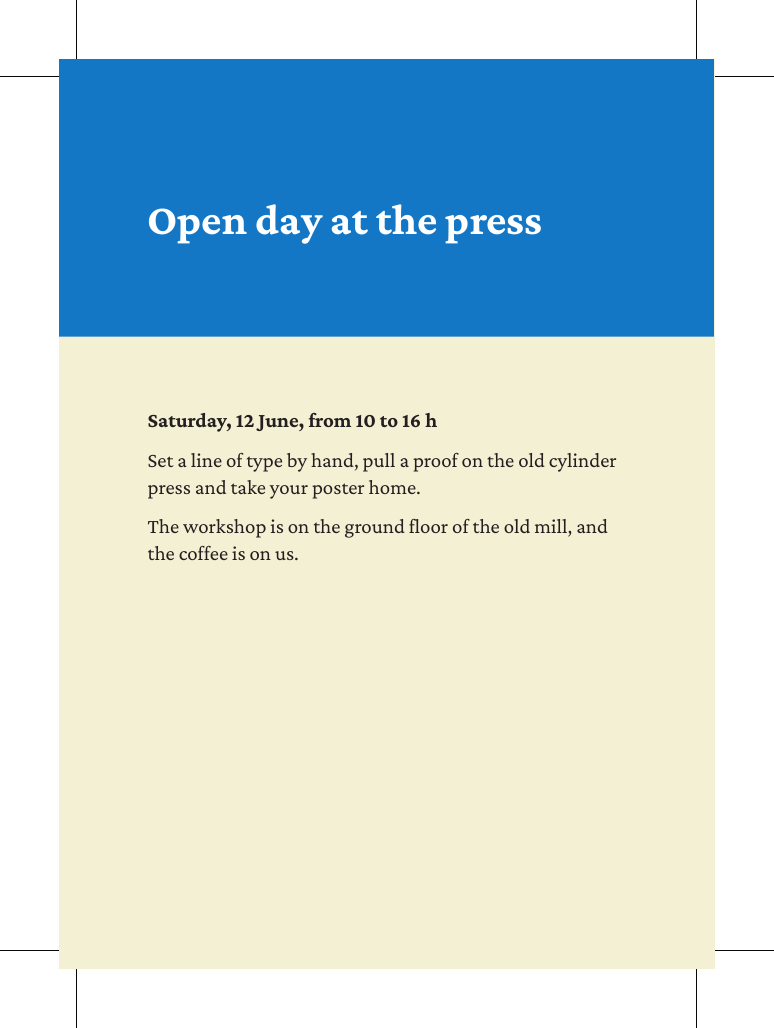
Step 1: declare the standard
Two elements in the <head> say what the file is:
<meta name="pdf-format" content="PDF/X-4">
<title>Open day at the press</title>
A bare glu print-ready.html now writes PDF/X-4. PDF/X asks for a title, and the output intent is Coated FOGRA39 unless you load another one.
Step 2: name the inks
Each ink of the job gets a name, so the rules further down do not have to know what it is made of:
@-bag-color blue  { model: spotcolor; colorname: "PANTONE 300 C"; c: 100; m: 44; y: 0; k: 0; }
@-bag-color tint  { model: cmyk; c: 4; m: 4; y: 16; k: 0; }
@-bag-color paper { model: cmyk; c: 0; m: 0; y: 0; k: 0; }
@-bag-color ink   { model: cmyk; c: 0; m: 0; y: 0; k: 100; overprint: yes; }
blue is a spot color with a plate of its own. ink overprints, so the text needs no hole in the tint. The CSS color black would not do here, because it does not overprint.
Step 3: set up the page
size is the trimmed page. Bleed and crop marks come on top of it:
@page {
    size: a6;
    margin: 56mm 12mm 12mm 12mm;
    bleed: 3mm;
    marks: crop;
    background-color: tint;
}
The background runs into the bleed by itself.
Step 4: run an element off the page
Everything else stays on the page unless you send it past the edge. Absolute offsets count from the corner of the trimmed page, so -3mm reaches the edge of the bleed. The width is the page, 105mm, plus 3mm on both sides:
.band {
    position: absolute;
    top: -3mm;
    left: -3mm;
    width: 111mm;
    height: 47mm;
    background-color: blue;
}
Step 5: check the plates
Ghostscript writes one image per ink:
gs -q -o plate.tif -sDEVICE=tiffsep -r100 print-ready.pdf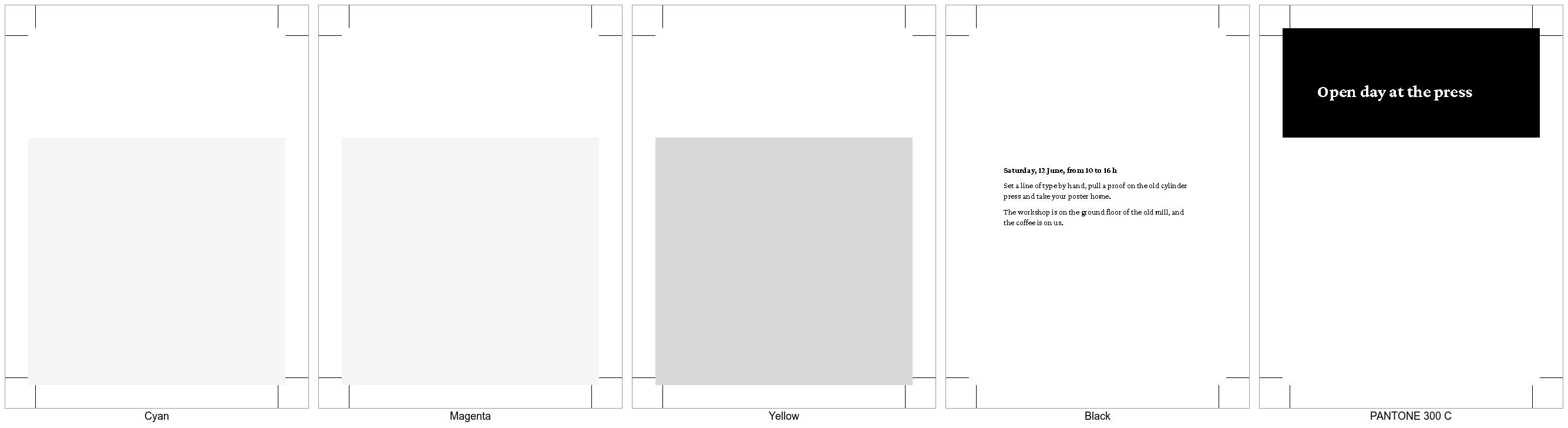
The yellow plate runs through below the text without a hole, so the black overprints. The band stands on the spot color alone, and the title is cut out of it, because it knocks out. The crop marks are on all five plates.
Then check the page boxes and run a preflight, see Check the file.
From Markdown
The CSS is the same, in the file the frontmatter names, and the standard is a field:
---
title: Open day at the press
format: PDF/X-4
css: print.css
---
Related
- Handover checklist for everything to check before the file goes out
- PDF/X for the output intent
- Color for spot colors and overprint
- Bleed and crop marks for the page boxes