Line up text with tab stops
Some columns are not tables: a contents list with the page numbers flush right, labels and values in a form, prices lined up on the decimal comma. A word processor sets these with tab stops, and so does glu. The Markdown holds plain text with a tab between the columns, and a CSS property says where each tab goes.
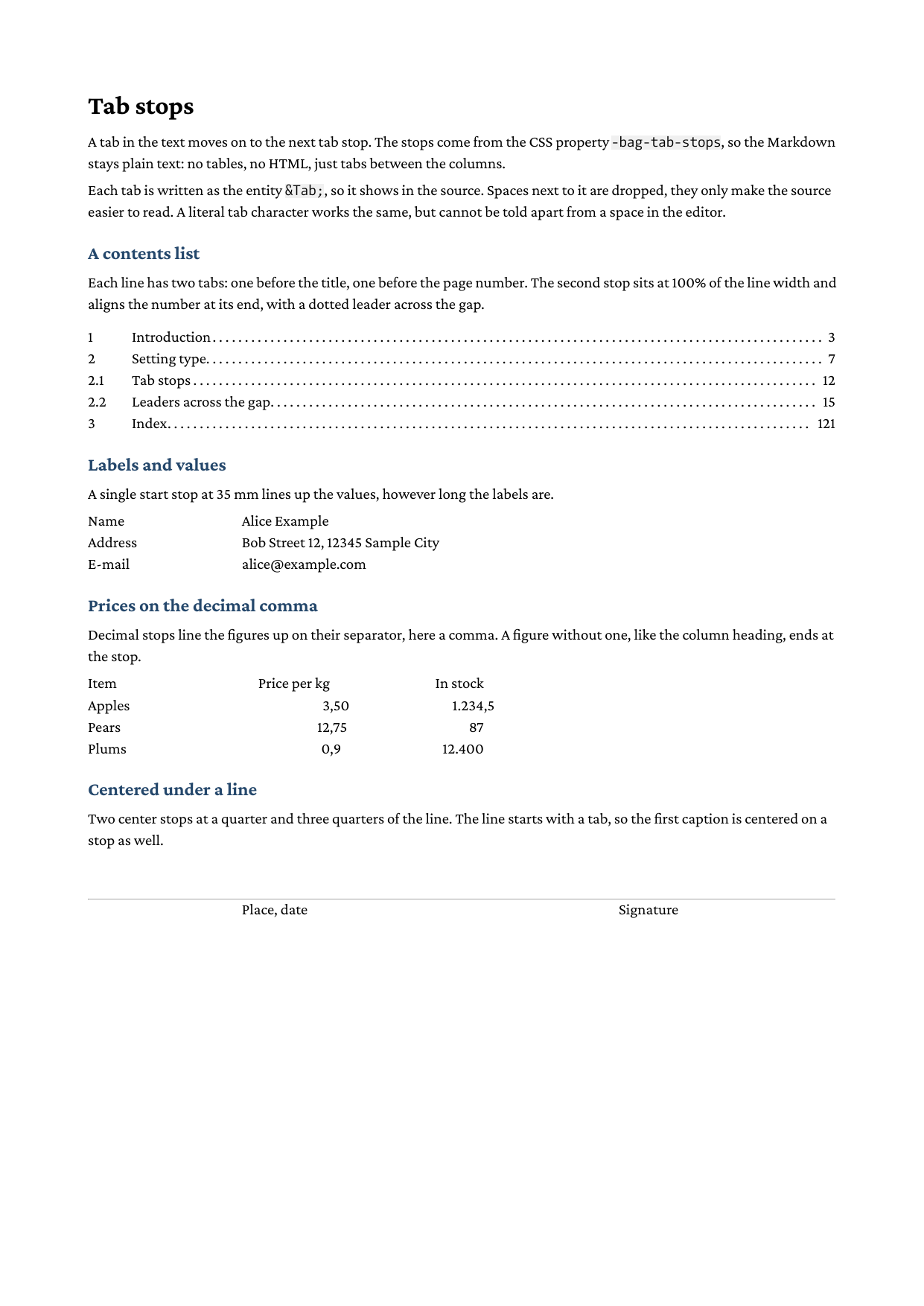
Full example: glu/markdown/tab-stops
Step 1: write the text with tabs
Put a tab between the columns, written as the entity 	. To keep all lines of a block in one Markdown paragraph, write them on consecutive lines and attach a class:
Name 	 Alice Example
Address 	 Bob Street 12, 12345 Sample City
E-mail 	 alice@example.com
{.form}
The spaces around 	 are only there for readability: next to a tab they are dropped. 	 works as well, and so does a literal tab character. The entity has the advantage that it shows: a tab character looks like a space in the editor, some editors replace it with spaces, and at the start of a line Markdown takes it as indentation.
Step 2: set the stops
-bag-tab-stops takes a comma separated list of stops. The simplest stop is a position:
.form {
    -bag-tab-stops: 35mm;
    white-space: pre-line;
}
Each value now starts 35 mm from the start of the line, however long its label is. white-space: pre-line keeps the line breaks of the Markdown paragraph; the tabs themselves need no special white-space mode.
Step 3: a contents list with a leader
A stop can say how the text after the tab lines up with it, and fill the gap with a leader:
::: contents
1 	 Introduction 	 3
2.1 	 Tab stops 	 12
3 	 Index 	 121
:::.contents p {
-bag-tab-stops: 10mm, 100% end leader(dotted);
white-space: pre-line;
}The title starts at 10 mm. The page number ends at 100% of the line width, the right edge, and leader(dotted) repeats a dot pattern across the gap. leader() takes the same values as in a content property: dotted, solid, space or a string such as leader(" . ").
Step 4: figures on the decimal comma
A decimal stop puts the separator of a figure at the stop, so the digits line up:
.prices {
    -bag-tab-stops: 55mm decimal(","), 90mm decimal(",");
    white-space: pre-line;
}
decimal alone aligns on a period, decimal(",") on a comma. A text without the separator, like a column heading or a whole number, ends at the stop, which right aligns it over the figures.
Step 5: centered captions
center centers the text on the stop. A signature line with two captions uses two stops at a quarter and three quarters of the line:
	 Place, date 	 Signature
{.signature}.signature {
-bag-tab-stops: 25% center, 75% center;
border-top: 0.4pt solid black;
white-space: pre-line;
}The line starts with a tab, so the first caption is centered on a stop as well. Here the entity matters: a literal tab at the start of a line would be Markdown indentation.
Run it
glu tab-stops.mdThe property at a glance
| Value | Meaning |
|---|---|
40mm, 2em |
Position, measured from the start of the line |
100% |
Percentage of the line width |
start (default) |
The text after the tab starts at the stop |
end |
The text ends at the stop |
center |
The text is centered on the stop |
decimal, decimal(",") |
The separator sits at the stop |
leader(...) |
Pattern across the gap |
none |
No stops, switches inherited stops off |
left and right are accepted as synonyms of start and end. The property is inherited, so a rule on a <div> or a list applies to every paragraph inside it.
Gotchas
- A tab moves on to the first stop past the text before it. If the text is already beyond the last stop, the tab gets the width of
tab-size, so a long label pushes its value along instead of overprinting it. - In a list item the stops are measured from the start of the item’s text, after the marker, and
100%is the width of the item’s lines. - Whitespace that contains a newline is source formatting and collapses to a space as usual (or to the line break under
pre-line). Only a tab on the same line survives.
Related
- Generate a table of contents for page numbers from
target-counter()with aleader()in generated content - Control table column widths when the columns need borders, backgrounds or wrapping cells
- htmlbag CSS support for the supported property catalog
- Tab stops in the Lua API for the same stops on a
frontend.text