Put notes in the outer margin
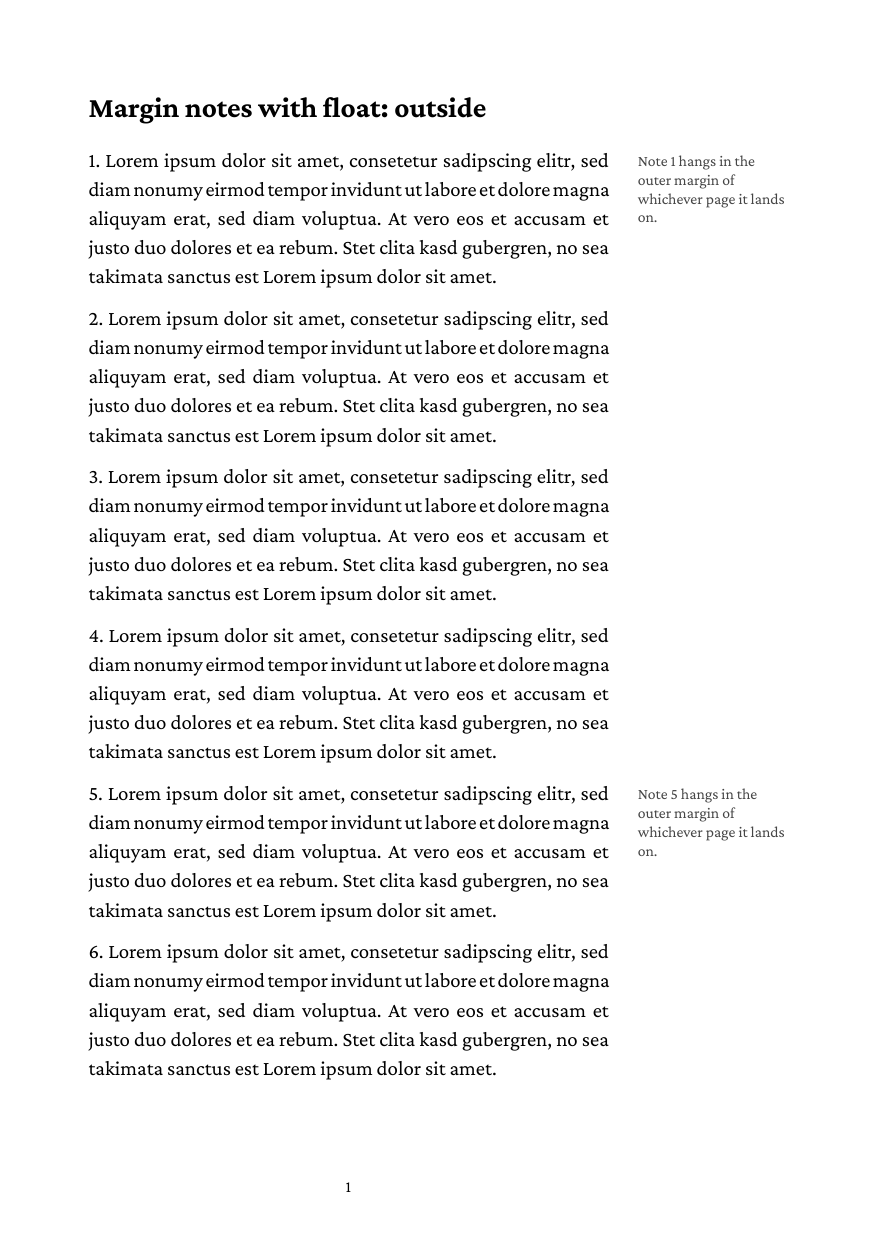
This recipe places short notes beside the text in the page margin, the way scholarly books and manuals do. The margin that holds the notes swaps sides from page to page, and the notes follow it without the author saying which page they are on. Everything is plain CSS. The complete example is in the examples repository.
The page layout
Right pages carry the wide margin on the right, left pages on the left:
@page { size: a5; margin: 15mm 45mm 18mm 15mm; }
@page :left { margin: 15mm 15mm 18mm 45mm; }
The first page is a right page and the parity alternates from there, so the text block sits in the same place on every spread.
The note
A note is a block written right before the paragraph it belongs to:
<div class="note">Note 1 hangs in the outer margin of whichever page it lands on.</div>
<p>Lorem ipsum dolor sit amet, ...</p>
The CSS floats it to the outside edge and pulls it into the margin:
.note {
  float: outside;
  width: 25mm;
  margin-top: 3pt;
  margin-left: 5mm;      /* the gap to the text */
  margin-right: -30mm;   /* width plus margin-left: the note leaves the text block */
  font-size: 7.5pt;
  line-height: 1.2;
}
Three things make this work:
float: outsidepicks the right edge on right pages and the left edge on left pages.float: insideis the mirror image, towards the binding.- The margins are written for a right page. On a left page
margin-leftandmargin-rightswap, so the same negative margin pulls the note out to the left there. - A negative outer margin of
widthplus the inner margin cancels the float’s footprint: the paragraph beside the note keeps its full measure instead of wrapping around it.
The float starts level with the top of the paragraph after it: the margin between the two paragraphs is laid out before the float, and the next paragraph’s own top margin collapses with it. margin-top on the note only makes up for the smaller line height and font size of the note, so its first baseline meets the paragraph’s. Roughly half the difference in line height plus the difference in font size; measure it once for your font sizes.
From Markdown
In Markdown the note is a fenced div right before its paragraph:
::: {.note}
Note 1 hangs in the outer margin of whichever page it lands on.
:::

Lorem ipsum dolor sit amet, ...
The div’s content becomes a <p> with the default paragraph margin, which would push the note text down; reset it with .note p { margin: 0; }. Do not start the paragraphs with 1., that makes them a numbered list, which every note interrupts.
Figures in the margin
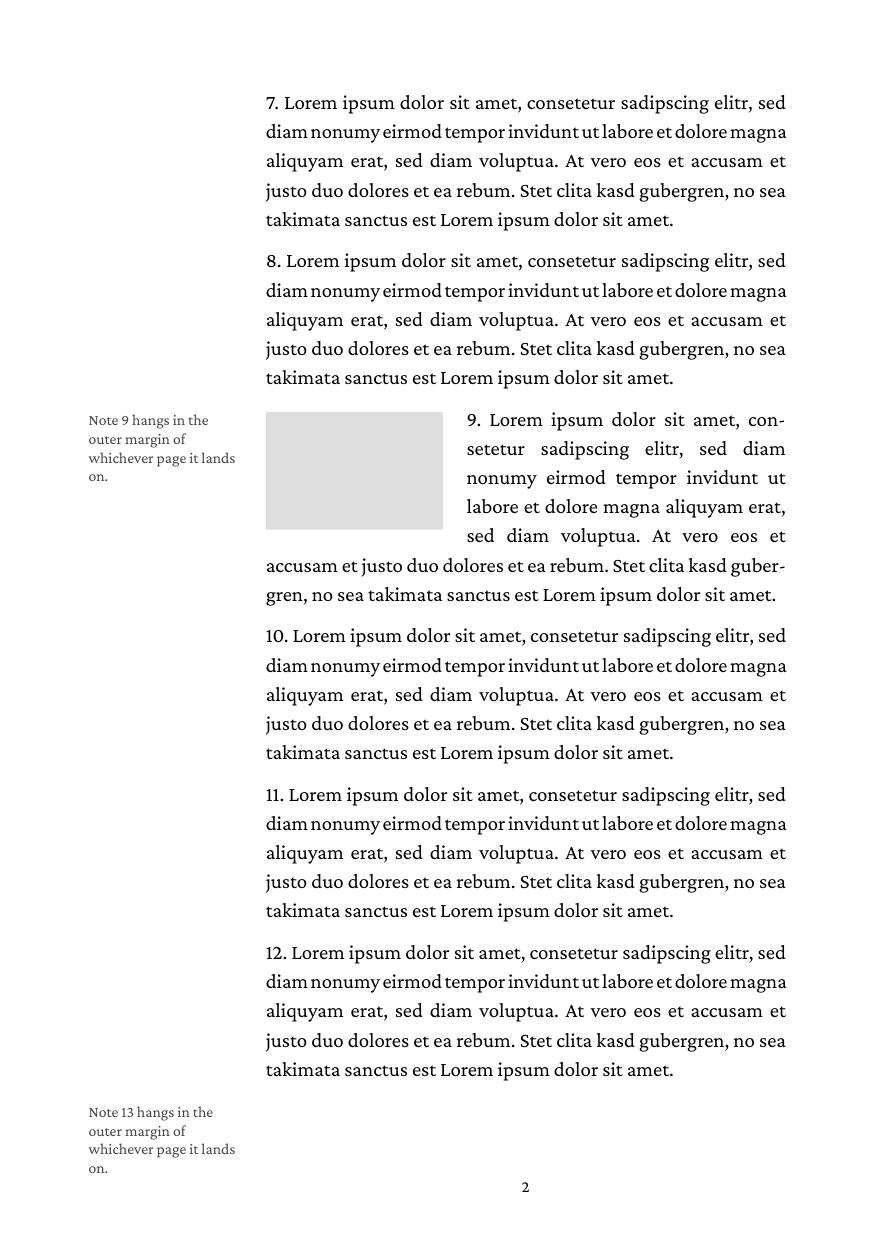
Drop the negative margin and the float behaves like any other: the text flows beside it, on the side the float actually is on:
.figure {
  float: outside;
  width: 30mm;
  height: 20mm;
  margin-left: 4mm;
}
On a left page the figure sits at the left edge and the lines beside it start indented.
How it is resolved
glu lays the content out ahead of the page breaks, so when a float is built the page it will land on is not known yet. It is resolved for the page current at that moment. A margin note that ends up on a page of the other parity is moved to its side when the page is painted, which is all a note needs, since it does not touch the text. A float that narrows the text beside it is rebuilt on the page it lands on, so the lines give way on the correct side.
At a page break a float stays with the text beside it. A note or figure whose paragraph has no room left on the page moves to the next page together with that paragraph, so a note never hangs alone at the bottom of a page. A paragraph that is split beside a figure keeps its shortened lines on the figure’s page and continues at full width on the next one, as in CSS paged media, where a float does not reach across a page break.
Limits
- Give a note a
width. A float without one shrinks to its longest line, which for a note of running text is the full measure. - A float is recognized as a child of a block container and at the very start of a paragraph, not further inside a paragraph’s inline content. Write the note as its own block before the paragraph.
For text that flows around pictures in the text block itself, see Wrap text around an image.