Languages and scripts
The lang attribute
lang does two jobs at once: it selects the hyphenation patterns,
and it is recorded in the PDF’s structure (/Lang) so screen
readers pronounce the text correctly, which matters for
PDF/UA documents. It works on the
document and on any element, so quotations keep their own
hyphenation:
<html lang="de">
  ...
  <blockquote lang="en">The quick brown fox ...</blockquote>
Note that en selects the British patterns, which break
etymologically (soph-ist-ic-ated); for American breaks
(so-phis-ti-cat-ed) say en-US. glu doctor lists the languages
with embedded patterns; a language without patterns typesets fine
but never hyphenates.
Direction and logical alignment
direction: rtl switches the paragraph’s base direction. The
logical text-align values follow it: start is the edge where
reading begins, so stylesheets written with start/end work for
both directions unchanged.

Bidirectional text
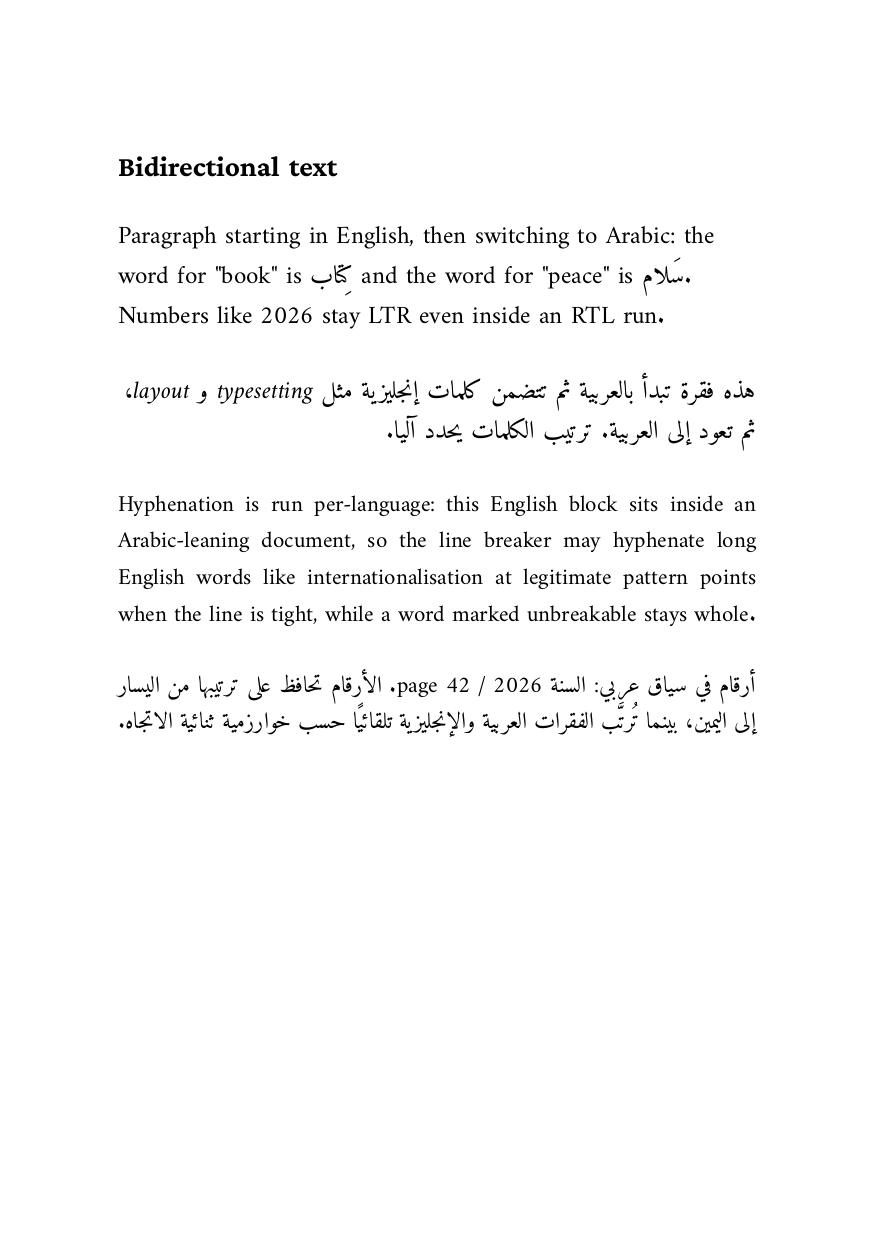
Runs of opposite direction inside a paragraph (a Hebrew quote in an
English sentence, numbers inside Arabic text) are reordered with the
Unicode bidi algorithm at shape time; there is nothing to configure.
The built-in fonts cover Latin, Greek and Cyrillic but no
right-to-left scripts, so real RTL text needs an @font-face for a
suitable font, with per-glyph fallback picking it up only
where needed. The
mixed LTR/RTL example
shows a complete bidirectional document:
Scripts beyond Latin
Shaping is script-aware across the board: Indic scripts, Southeast Asian scripts and complex joining behavior (Arabic) go through the same shaping engine as Latin. Combined with per-glyph font fallback, a single paragraph can mix scripts freely as long as the font stack covers them; see Choosing fonts.